
Works bulletinv0.9.5 ·
The Circuit Board Update
Microcontrollers you program with a node graph, wires you draw as real cables, pistons, a ballistic warhead grid, a rebuilt Round Designer - plus everything from the last three updates in one place - real material names, whole-missile design, paint that survives demolition, a much faster range and Oxygen that flashes.
- electronics
- microcontrollers
- wiring
- pistons
- designer
- missiles
- materials
- performance
The biggest one yet. Rounds got a brain, the Round Designer got a rebuild, and to keep the feed tidy this post rolls up the last three updates (Rocket Science, Fresh Coat and Overdrive) too - they're all down below.
Microcontrollers
Round Designer › Tools › Microcontroller chips
Wiring logic out of loose AND gates and delay pixels is over. A round can now carry a chip: a little computer you program with a node graph.
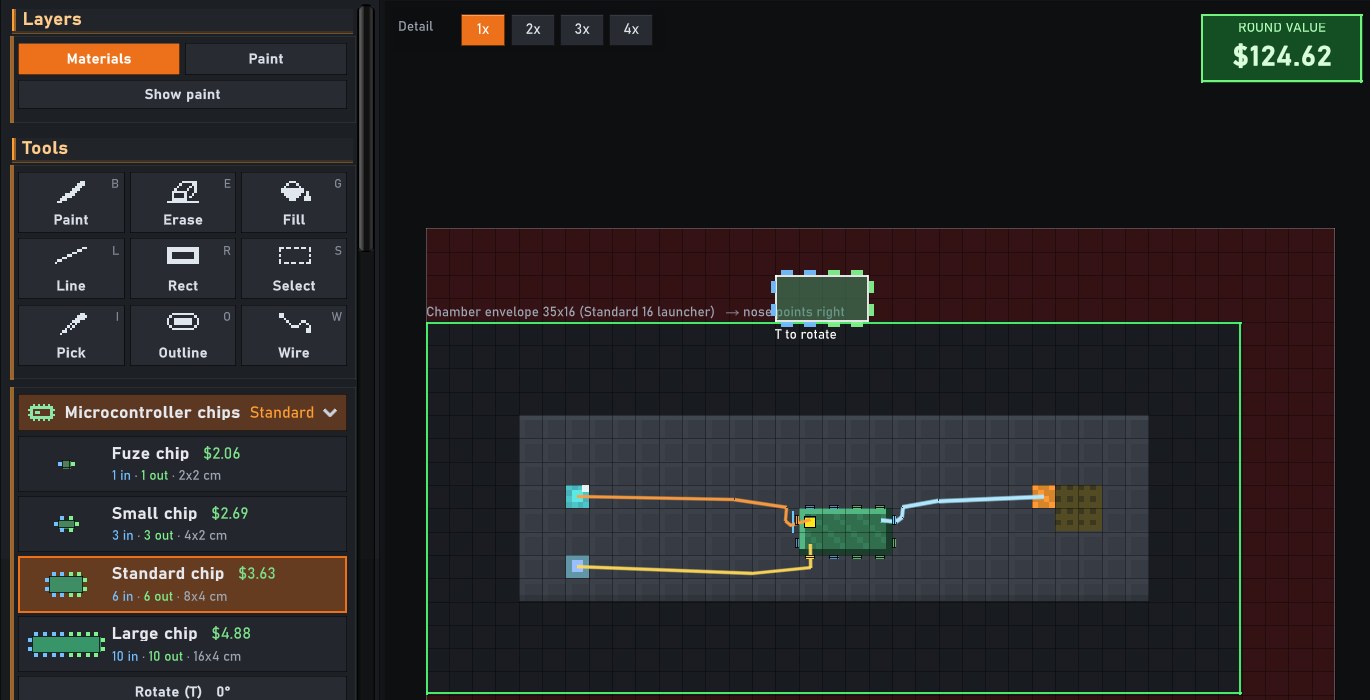 A Standard chip stamped on a round's casing, a timer and a proximity sensor wired to its blue input pins and a detonator to a green output pin
A Standard chip on the casing, wired up. Blue tabs are inputs, green are outputs - each wire wears its own colour.
A Standard chip stamped on a round's casing, a timer and a proximity sensor wired to its blue input pins and a detonator to a green output pin
A Standard chip on the casing, wired up. Blue tabs are inputs, green are outputs - each wire wears its own colour.
- Four sizes: Fuze (1 in / 1 out, 2×2 cm), Small (3 / 3), Standard (6 / 6) and Large (10 / 10). Pick one from the chip menu and click - it goes down whole, at a fixed size. T turns it a quarter turn before you place it.
- Every pin is a face. Each chip has exactly one face around its edge per pin - inputs on the left half, outputs on the right - so you can always see what plugs in where.
- Chips sit on the electronics layer, on top of the casing, like wires do. Paint material in underneath, hide the layer and the hull is whole. In flight a chip rides the material it's mounted on: blow that away and the chip goes with it.
- No battery needed. A chip carries its own charge for its circuits (parts that drain all flight, like a gyro or a seeker, still want a battery).
- Shoot it away and everything it controls goes dead. EMP fries it too.
Draw your wiring
Round Designer › Wire (W)
Wires are now cables you draw, not pixels you paint. Drag from one part to another and the wire routes itself through the round, hugging the casing; drop it on a chip pin and it plugs into that exact pin (or drop it on the chip itself for the nearest free one). Click a wire to select it, drag it to bend it, right-click it to cut it.
Each wire is an insulated strand: two wires can cross without touching, and a wire cut anywhere along its length is dead end to end - so a shot through the middle of the harness matters.
Program it with a node graph
Click a chip with the Wire tool
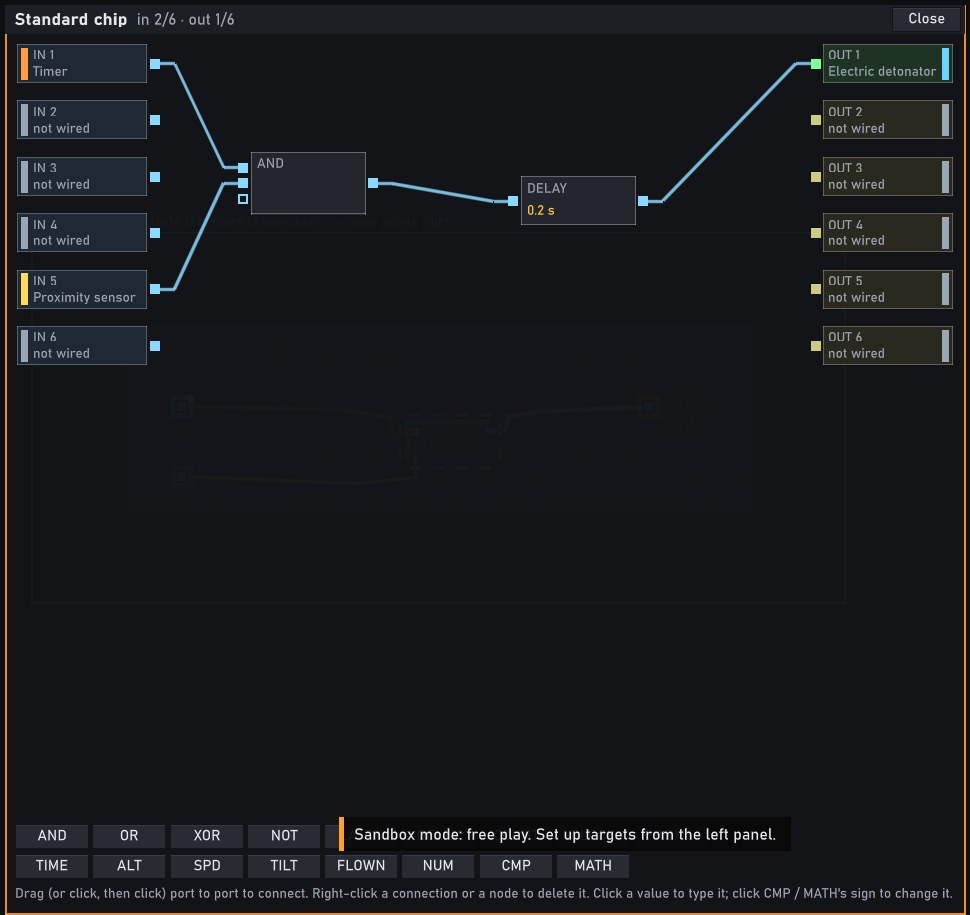 The chip's program: the timer and the proximity sensor feed an AND gate, then a 0.2 s delay, then the detonator output
Timer AND proximity, wait 0.2 s, fire. Every wired pin shows up on the edge of the graph.
The chip's program: the timer and the proximity sensor feed an AND gate, then a 0.2 s delay, then the detonator output
Timer AND proximity, wait 0.2 s, fire. Every wired pin shows up on the edge of the graph.
- Logic: AND, OR, XOR, NOT, LATCH, DELAY, COUNT, CLOCK and ARM. AND, OR and XOR take as many inputs as you like - each gets its own port, with a free one waiting for the next.
- Live numbers: TIME, ALT (height), SPD, TILT and FLOWN feed CMP (compare against a number) and MATH (+ − × ÷ min max). "Fire when TIME × 2 ≥ 1" goes off at half a second - we checked.
- Drag port to port (or click, then click) to connect. Right-click a connection - it lights up red - or a node to delete it.
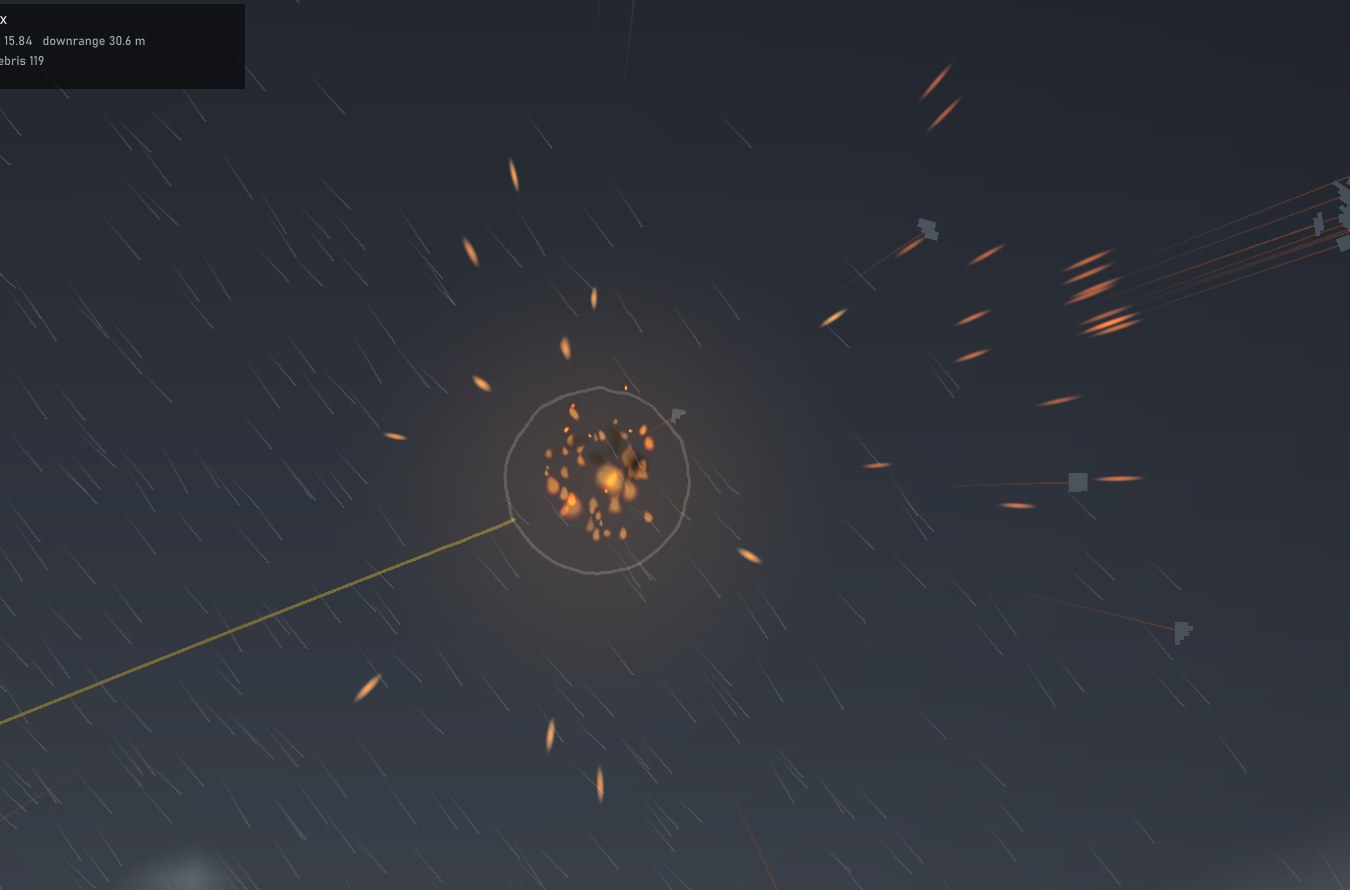 A chip-fused round bursting in mid-air, fragments flying out
A timer at 0.3 s through a 0.4 s DELAY node: airburst at 0.7 s, right on schedule.
A chip-fused round bursting in mid-air, fragments flying out
A timer at 0.3 s through a 0.4 s DELAY node: airburst at 0.7 s, right on schedule.
On the range, the Circuit view shows the signal as a white-hot pulse running down the coloured wires into the chip and out the other side. The old loose logic parts (AND, OR, NOT, Latch, Delay, Counter, Arming) have left the palette; designs that already use them keep working exactly as they did. In Career, Circuit logic research now brings the Fuze and Small chips, and the new Advanced microcontrollers research ($9k, 3 weeks) the Standard and Large.
Pistons
Round Designer › Electronics › Piston
A linear actuator for the hinge seam. When its circuit fires it pushes everything beyond the seam straight out, and a steel shaft fills in behind. Right-click it to set the stroke (cm; 30 if you leave it) and the speed (m/s; 3 if you leave it). If the rod would run into the round, it jams.
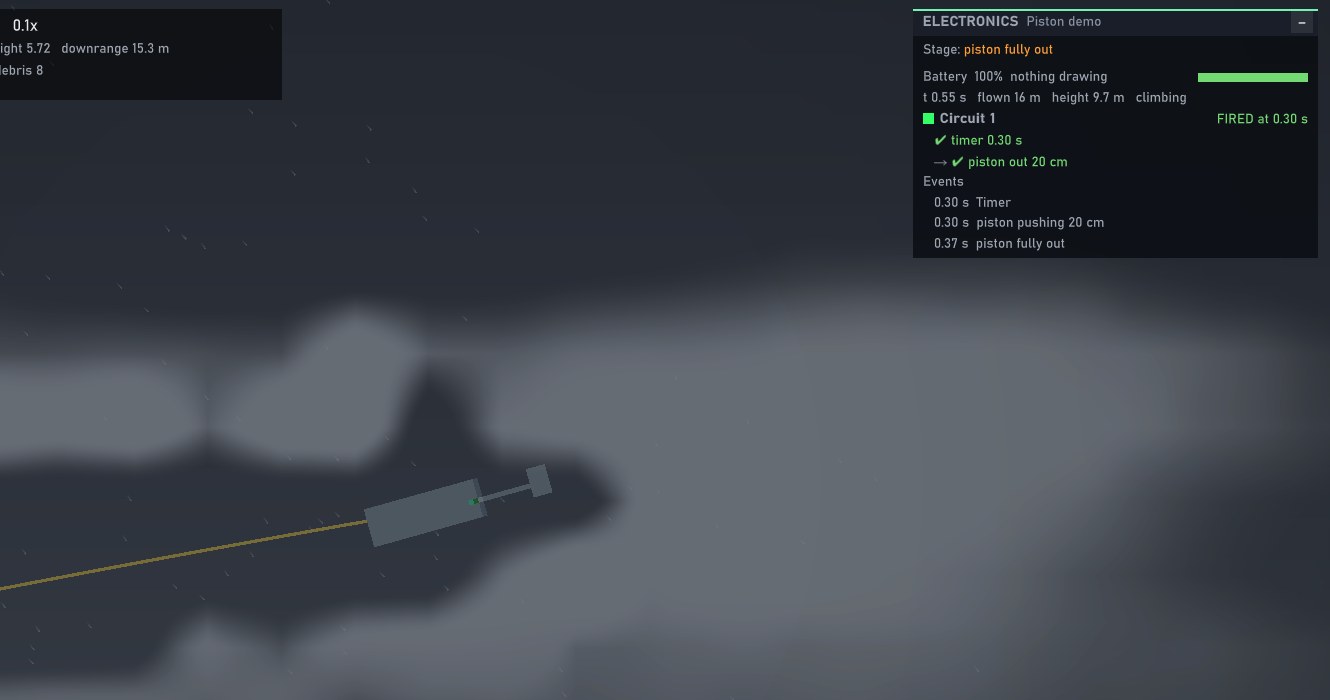 A round in flight, its nose block pushed forward on a steel shaft; the Electronics panel reads "piston out 20 cm"
0.3 s after launch: the timer fires, the nose block runs out 20 cm and locks.
A round in flight, its nose block pushed forward on a steel shaft; the Electronics panel reads "piston out 20 cm"
0.3 s after launch: the timer fires, the nose block runs out 20 cm and locks.
Run a probe out of a HEAT round's nose and the jet gets room to form before it hits: in testing, standoff went from 1 to 6 px and the jet's focus from 31% to 65%. Pop out a spike, shove a bomblet clear - it's a piston.
A warhead grid for ballistic strikes
Round Designer › Missile › Ballistic: Light RV / Heavy RV
Ballistic strikes only bring down the warhead - so designing one on a missile grid meant half your canvas was a booster you'd never use. Ballistic warheads now have their own grids: Light RV (57×14) and Heavy RV (91×20), where the whole grid is warhead. Pick them on the range under Ballistic (a rail missile's warhead section still works too). In Career they come with the Ballistic missiles research.
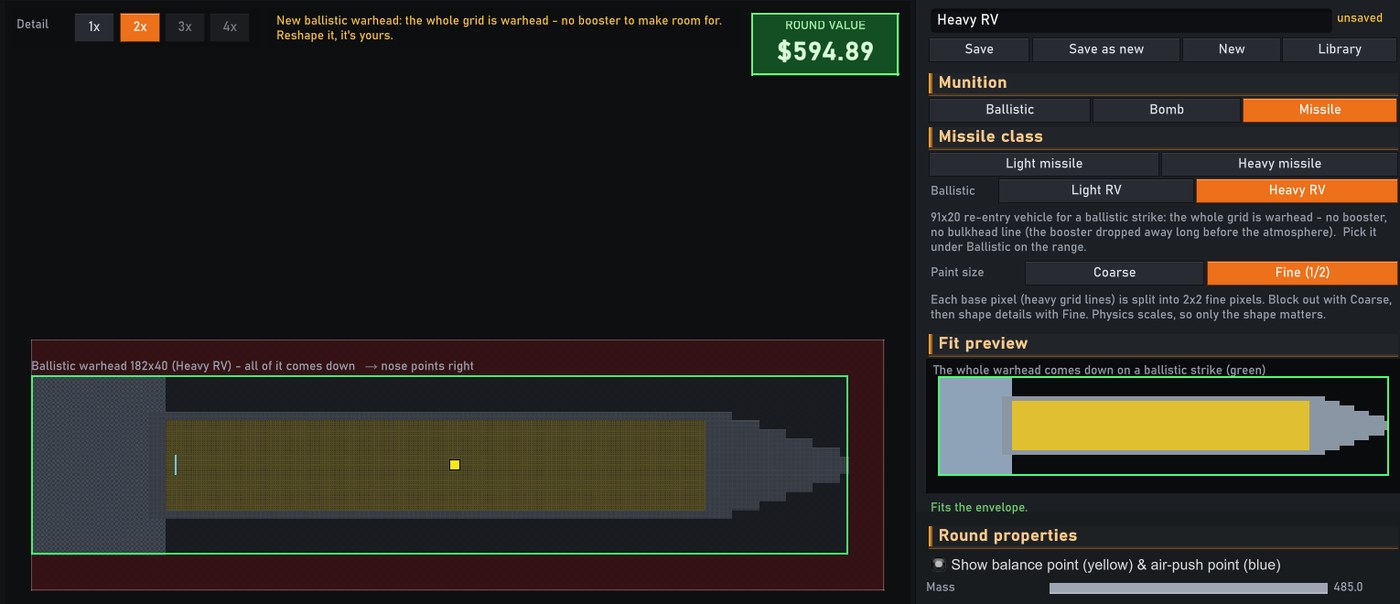 The Heavy RV grid in the Round Designer: one long warhead with no bulkhead line
All of it comes down.
The Heavy RV grid in the Round Designer: one long warhead with no bulkhead line
All of it comes down.
The Round Designer, rebuilt
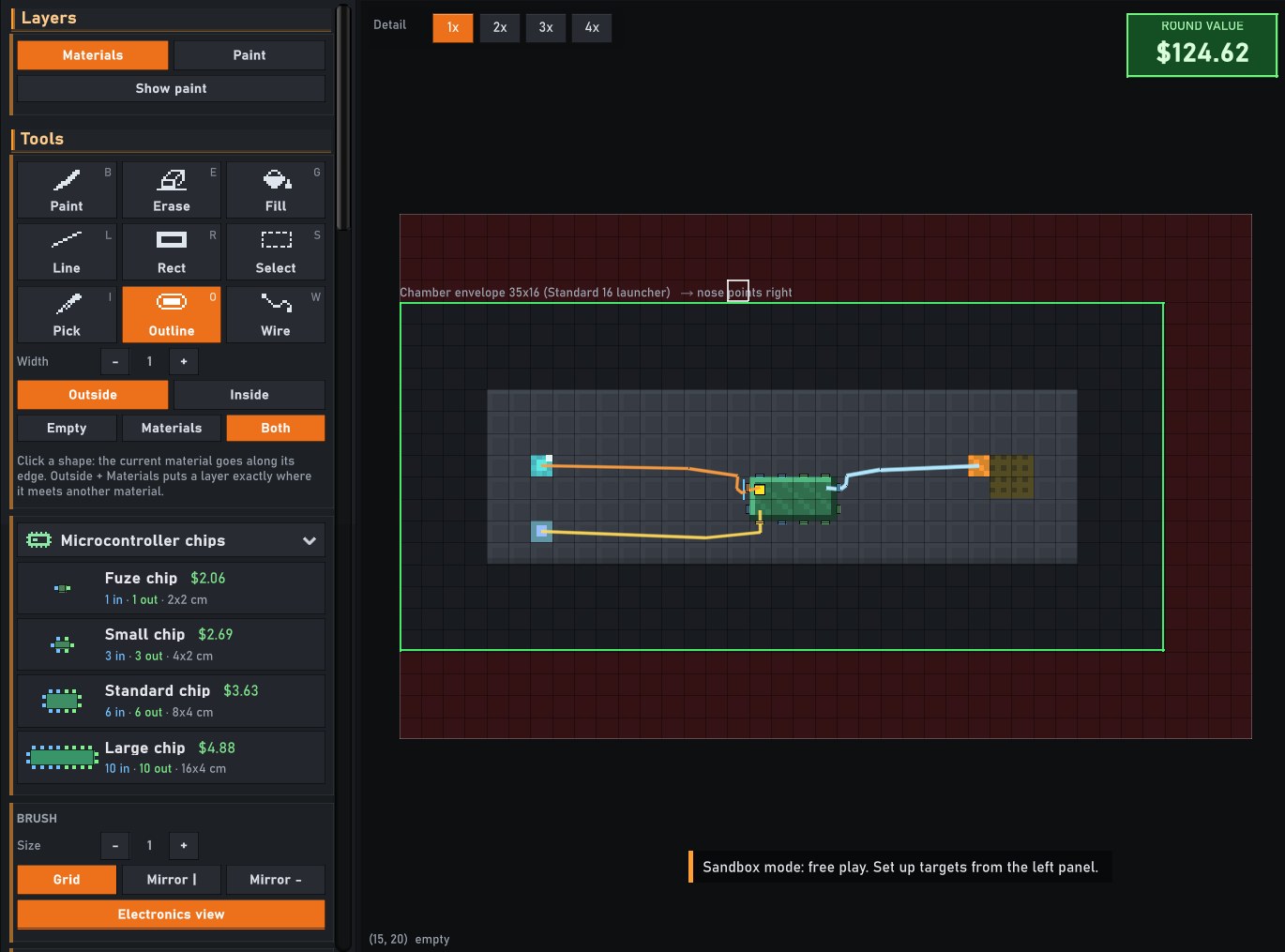 The new tool panel: tools as icon tiles, the Outline tool's options, the chip menu, and Brush, Edit and View cards
Tools as tiles, options where you need them.
The new tool panel: tools as icon tiles, the Outline tool's options, the chip menu, and Brush, Edit and View cards
Tools as tiles, options where you need them.
- Tools are tiles with icons and their shortcut keys; the tool's options (like Outline's width and side) sit right under it.
- Brush, Edit and View each have their own card; every button in the Round and Target Designers got the same flat look, with the selected one in orange.
- The library is a shelf of thumbnails, grouped by what fires them - each gun and mortar barrel, each bomb bay, rail and jet missiles, ballistic warheads. Click to load; hover for a delete button (it asks twice).
- The grid makes room by itself. Pick a bigger class or a finer detail and the grid grows to fit the whole envelope - a Heavy missile at 3x detail no longer runs off the edge.
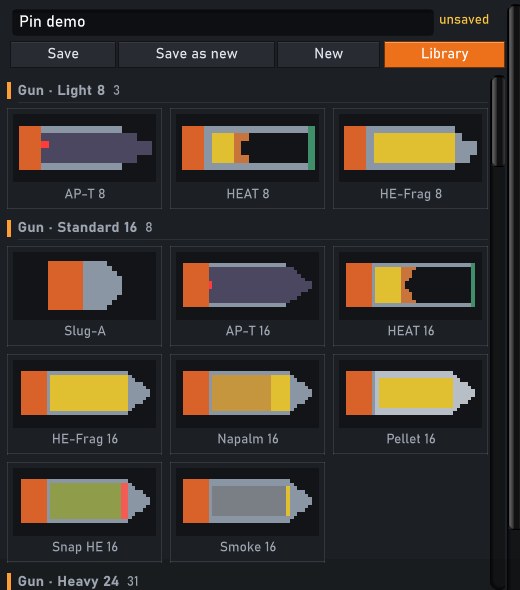 The library: thumbnails of rounds shelved under Gun - Light 8 and Gun - Standard 16
Your rounds, by barrel.
The library: thumbnails of rounds shelved under Gun - Light 8 and Gun - Standard 16
Your rounds, by barrel.
Everything by its real name
From The Rocket Science Update
Every material now wears the name of its real-world counterpart:
- Explosives: Blastite → TNT, Duranite → C-4, Snapite → Lead azide, Nitrolene → Nitroglycerin, Thermex → ANFO, Sheetex → Sheet explosive, Crackite → Cutting charge, Squashite → HESH, Flashpowder → Black powder.
- Metals and armour: Ferrosteel → Steel, Aerolite → Aluminium, Gravium → Tungsten, Voidcore → Tungsten carbide, Lancite → Depleted uranium, Laminite → Composite armour, Weavecord → Kevlar, Kickplate → Reactive armour.
- Fuels and incendiaries: Thrustane → Solid fuel, Kinetite → Cordite, Pyrosene → Kerosene, Clingfire → Napalm, Slagfire → Thermite, Emberite → Phosphorus, Aerosene → Ethylene oxide.
- Gases: Pyrogas → Propane, Oxite → Oxygen, Hydrogas → Hydrogen, Aerogas → Helium, Caustigas → Chlorine, Dampgas → Halon, Cryogas → Liquid nitrogen.
- The nuclear shelf: Fissite → Plutonium, Reflectite → Beryllium.
The numbers under the hood are still game numbers, not a chemistry textbook. Old saves carry over - designs, test records and contracts are renamed on load.
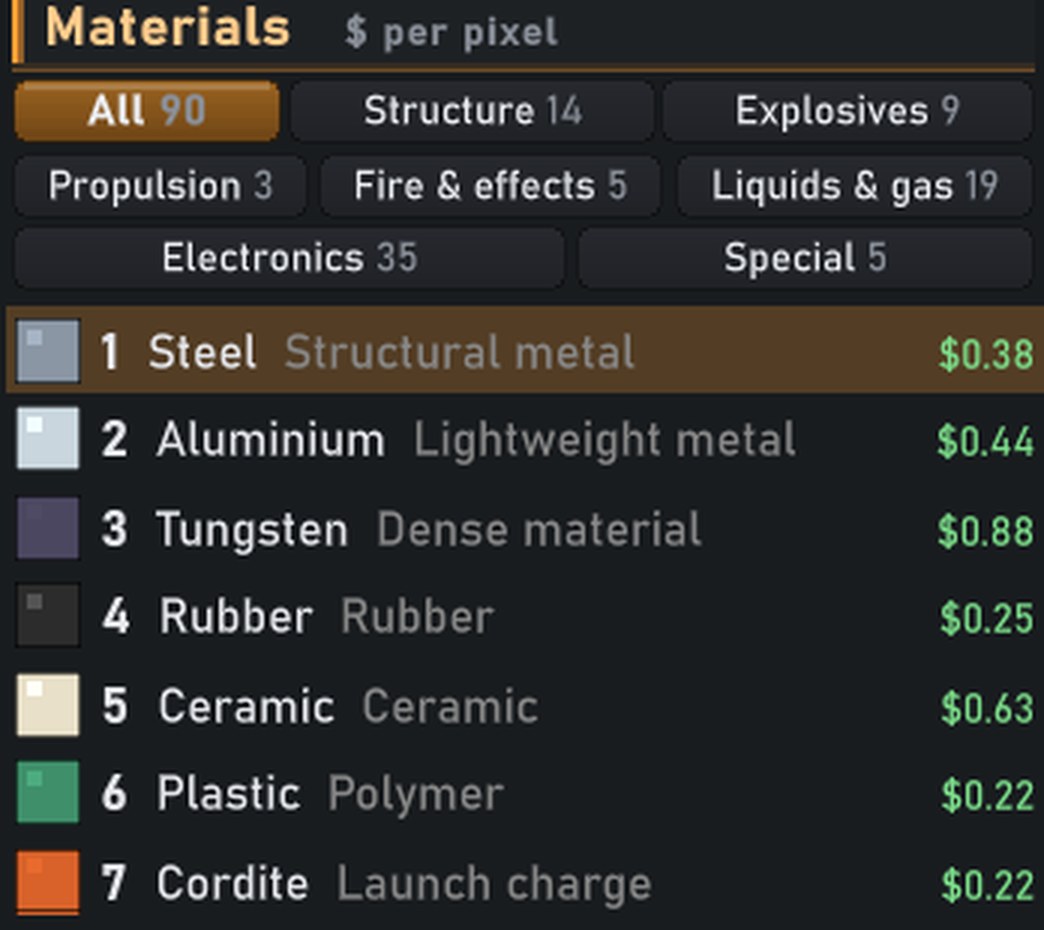 The Round Designer's palette listing TNT, Lead azide, Solid fuel and the other real material names
The palette, speaking plainly.
The Round Designer's palette listing TNT, Lead azide, Solid fuel and the other real material names
The palette, speaking plainly.
Design the whole missile
A missile design is the entire missile - Solid fuel booster, casing, bulkhead, tail fins and warhead, all on one canvas (Light 57×14, Heavy 91×20). Every new design starts from the standard airframe; stretch the booster, slim the casing, move the fins. Existing missiles moved onto the airframe automatically, pixel for pixel. Rail and jet launches fire the design as-is.
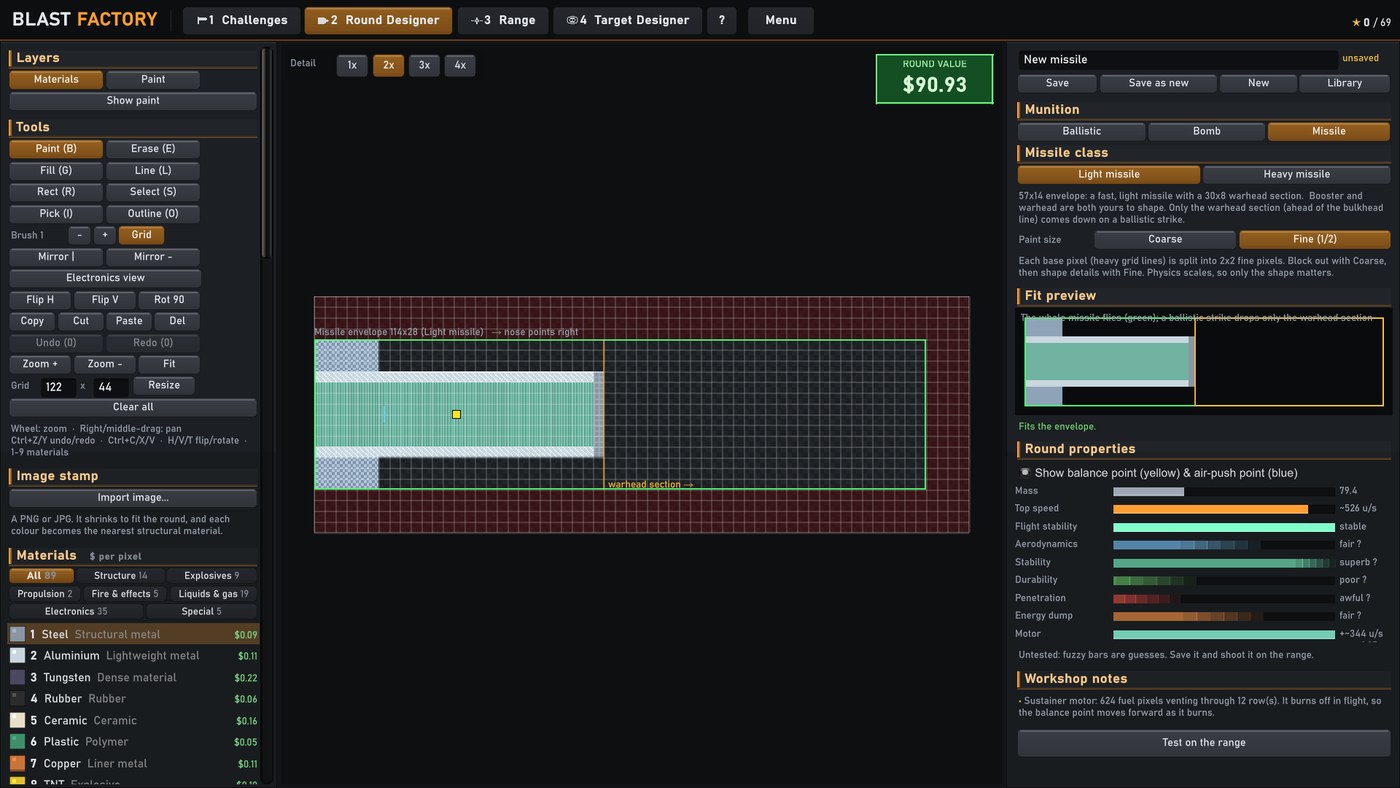 A brand-new Light missile in the Round Designer: the standard airframe template with the warhead section outlined in amber
Every new missile starts from the standard airframe. Everything ahead of the amber bulkhead line is the warhead section.
A brand-new Light missile in the Round Designer: the standard airframe template with the warhead section outlined in amber
Every new missile starts from the standard airframe. Everything ahead of the amber bulkhead line is the warhead section.
A missile's ballistic strike brings down only that warhead section - everything ahead of the bulkhead, falling alone - and the aim solver still lands it within half a metre of a 200 m aim point at 900 m/s, even lopsided in an 8 m/s crosswind.
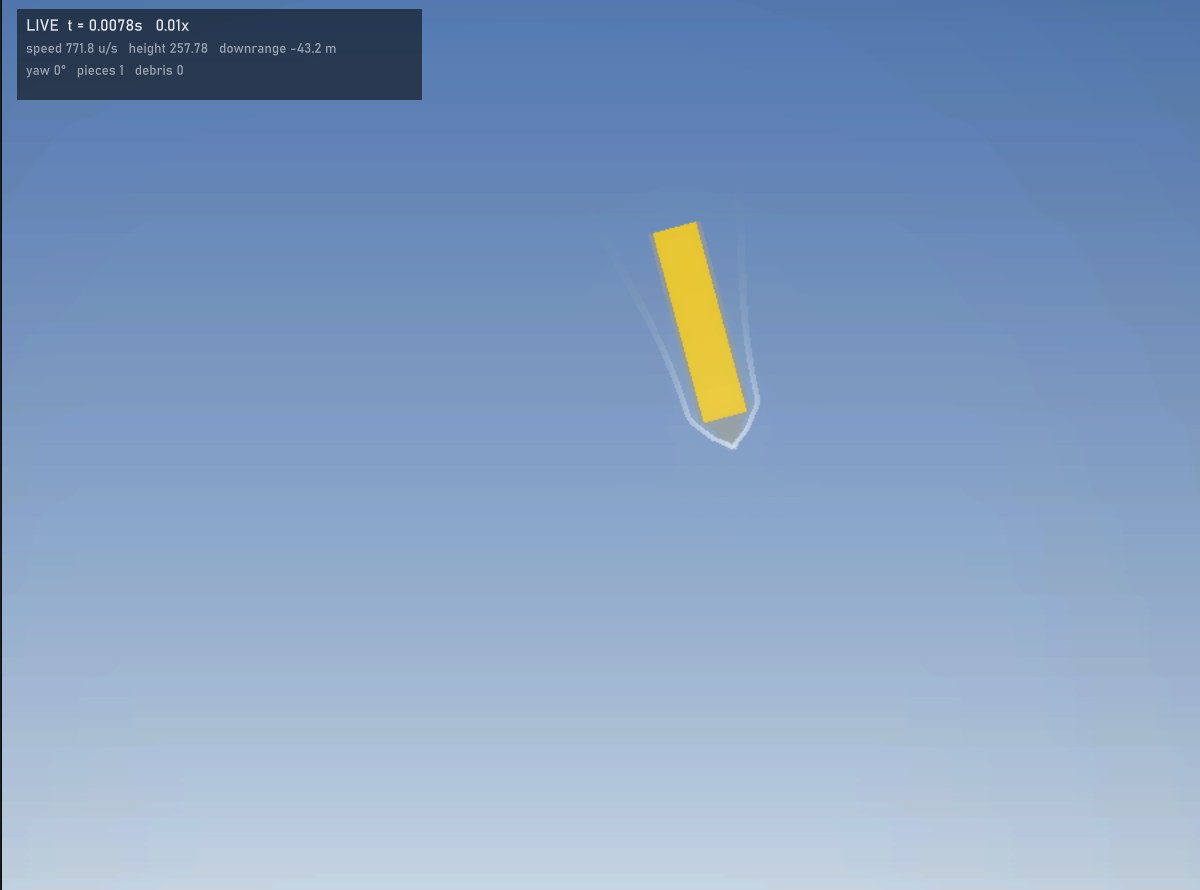 The bare warhead section coming down on the practice wall at high speed
Just the warhead, arriving.
The bare warhead section coming down on the practice wall at high speed
Just the warhead, arriving.
Servos take their time: right-click a servo for Swing and Speed (10-2000 deg/s, 240 if you leave it). Slow for bay doors, fast for a canard that snaps out.
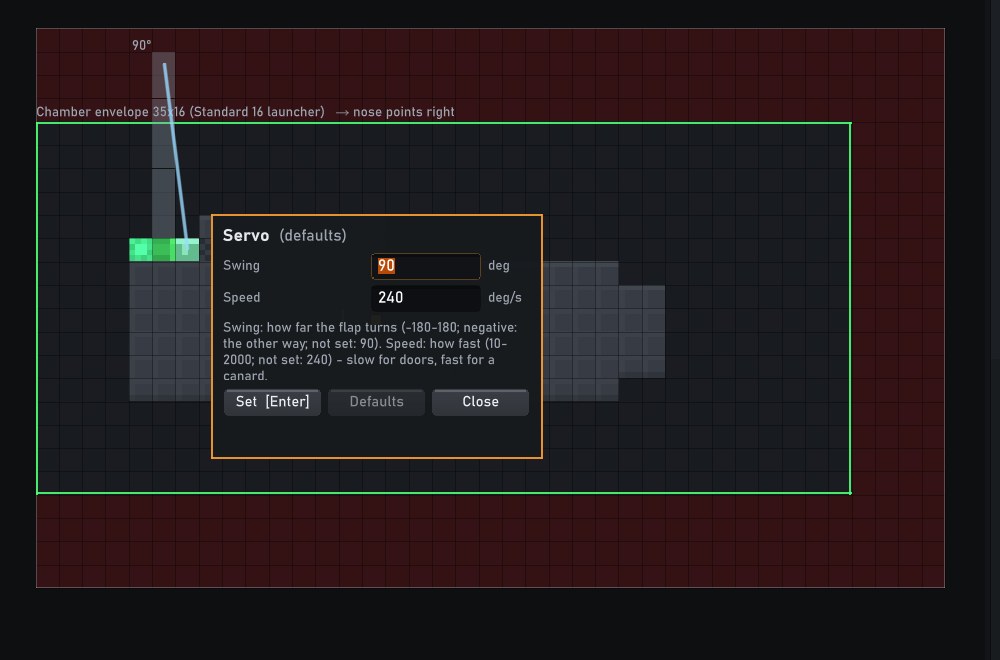 The servo's right-click panel showing both the Swing and Speed fields
One servo, two dials.
The servo's right-click panel showing both the Swing and Speed fields
One servo, two dials.
Paint survives demolition
From The Fresh Coat Update
Knock a painted building down and the paint comes down with it: falling sections keep their coat, debris flies in its colours, and the rubble settles painted. In testing, a painted tower lost a 1,651-pixel section to one shot at its base - and over 1,700 pixels of its wreckage settled with the coat still on.
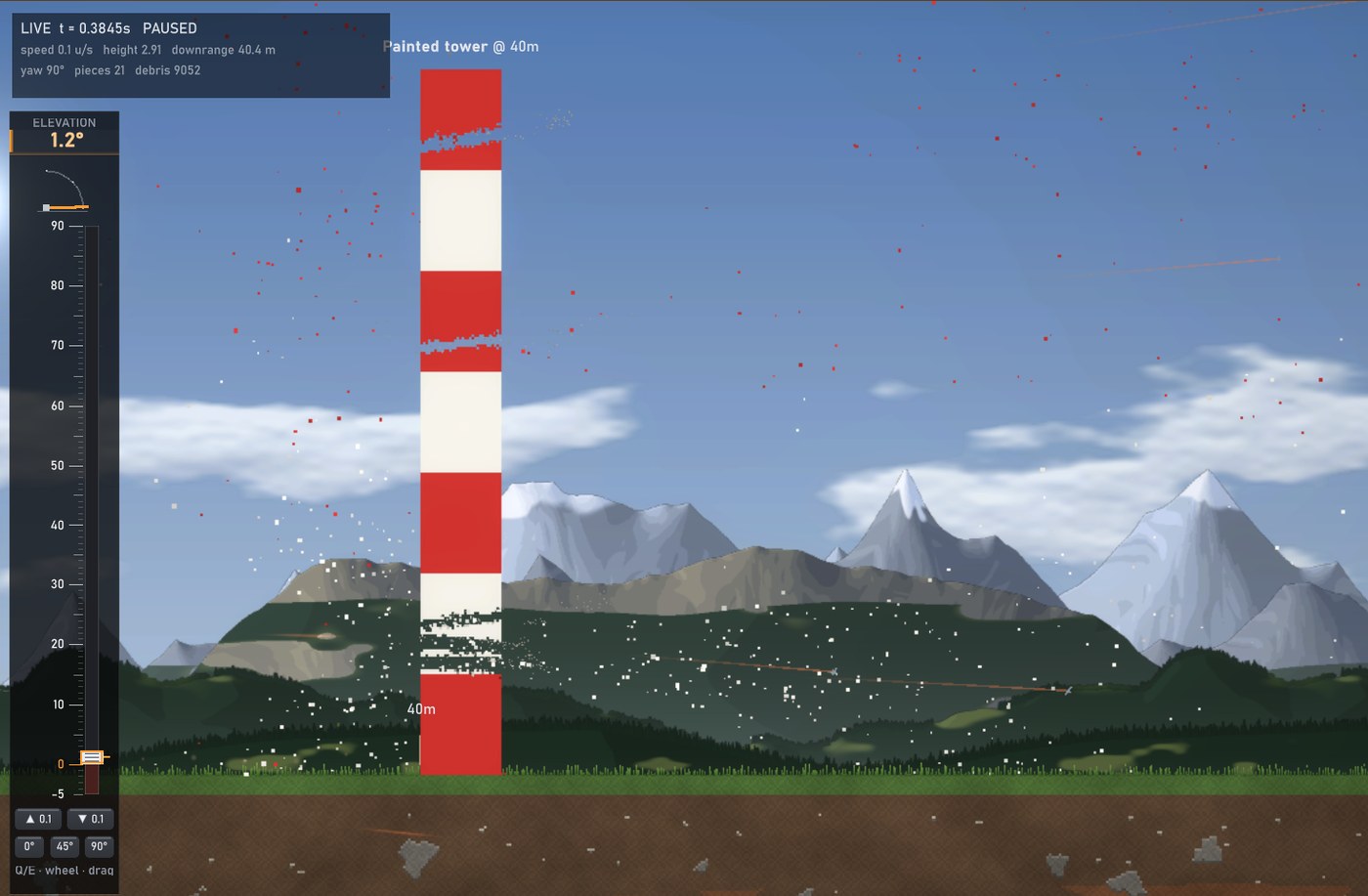 A red-and-white painted chimney, mid-topple, its falling section still wearing its stripes
The section comes away painted...
A red-and-white painted chimney, mid-topple, its falling section still wearing its stripes
The section comes away painted...
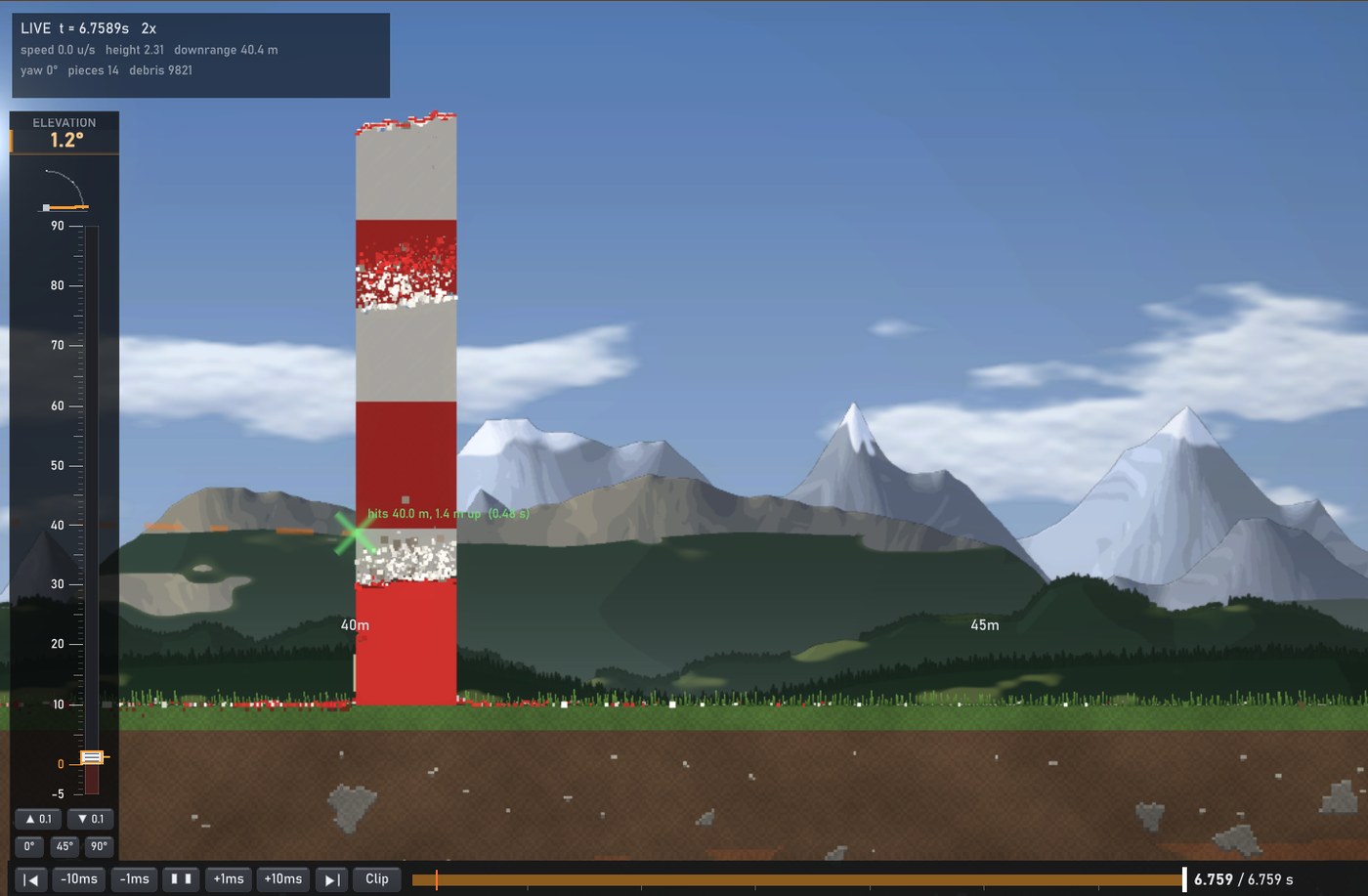 The settled rubble of the chimney, the heap still streaked red and white
...and what's left still shows its colours.
The settled rubble of the chimney, the heap still streaked red and white
...and what's left still shows its colours.
Faster, everywhere it counts
From The Overdrive Update
A performance pass through the whole simulation and the range. On our test machine, at the standard pixel size:
| | Before | Now | |---|---|---| | HE shot into a building, full speed | 24 fps | 62 fps | | The same shot in slow motion (0.1x) | 77 fps | 145 fps | | Insane pixels, full speed | 12.5 fps | 15 fps | | Simulating a thermobaric shot among 8 dummies | 6.1 s | 3.9 s | | Simulating a siege round through a building | 4.0 s | 2.7 s |
None of it changes what happens: duels and replays play out exactly as before, checked pixel by pixel.
Oxygen goes up in a flash
Atomised Oxygen now behaves like a leak: fire, a blast, or the sparks and embers a blast throws make the cloud flash, and everything nearby rages - fires flare, warm wood and fuel catch, burning pools spread. A cloud that drifts into a fire goes up the same way.
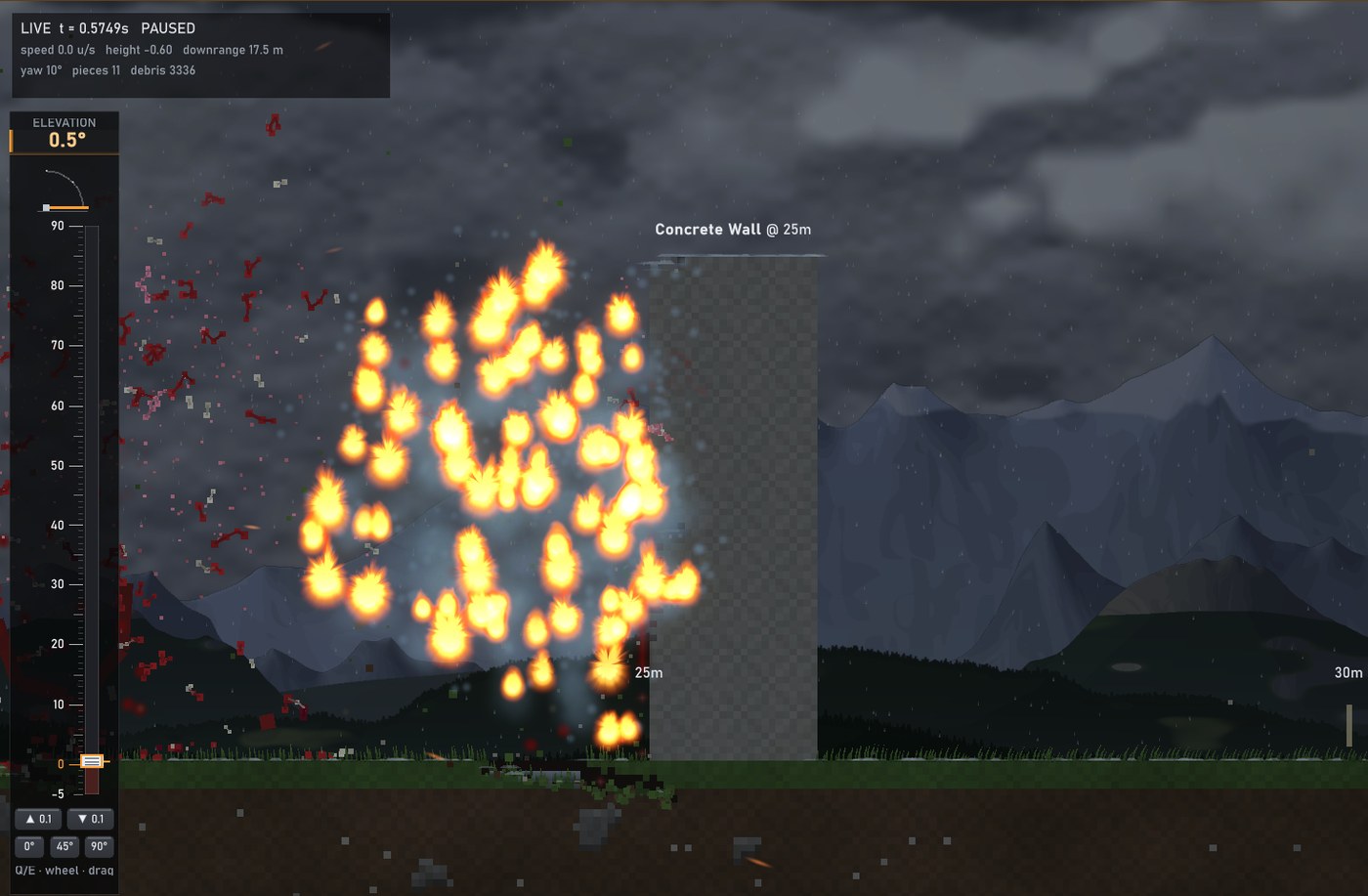 An Oxygen cloud going up in a sheet of flame in front of a concrete wall
A HEAT round goes off seven metres short. Its sparks find the Oxygen anyway.
An Oxygen cloud going up in a sheet of flame in front of a concrete wall
A HEAT round goes off seven metres short. Its sparks find the Oxygen anyway.
Fixed
- Clear all clears everything now - wiring, part settings, paint and chips too, not just the materials.
- The Wire tool no longer traps you: pick any material and you're back to painting, and its hint goes away when you switch tools.
- Outline treats a stepped line as one shape (pixels touching at the corners count), and Inside on a hull drawn as a line thickens its walls inward.
- Electronics view: the eraser takes only wires and circuit parts, never the casing under them.
- The ghost AA turret: switching screens mid-shot in the Sandbox could leave an invisible, very operational build on the range. A mode change now resets the range completely. The Challenges tab no longer wipes your Sandbox build either.
- Sealed gases draw see-through in the designer.
- Staff: Let go of Larry.
Mind the drop. See you on the range.