
Works bulletinv0.9.6 ·
The Director's Cut Update
Scrub anywhere in a replay instantly, record clips with sound, slow-motion ramps and a camera that directs itself - zooming onto the impact or following the dummy you picked - and get a labelled round card with every clip.
- replays
- clips
- camera
- sound
- round cards
- designer
This one is about showing off what you built. Replays jump to any moment at once, clips come with sound and a camera that knows where to look, and every clip now comes with a spec card for the round that made it.
Round cards
Every clip, and Round Designer › Export image
Every clip you save now gets a round card beside it: the munition drawn big on a drafting grid, its parts labelled and its electronics laid over it see-through, with the shot's top speed and impact energy along the bottom.
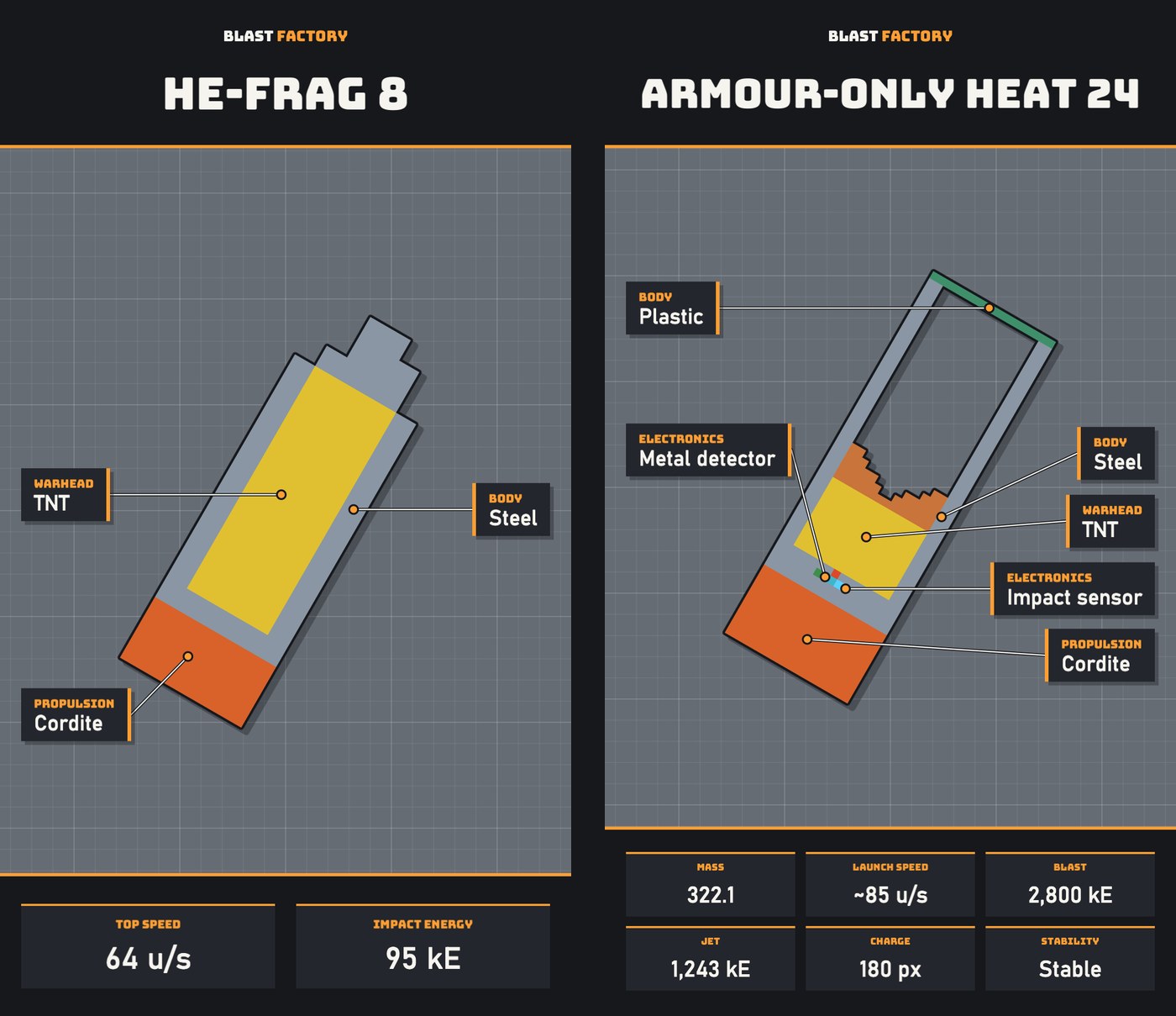 Two round cards side by side: HE-Frag 8 saved with a clip, showing top speed and impact energy, and Armour-Only HEAT 24 exported from the Round Designer, showing six stats
Left: the card saved with a clip - 64 u/s, 95 kE. Right: the same kind of card from the Round Designer, with the designer's own readout.
- Labels that follow the round. The best part of each kind gets a label - Electronics, Warhead, Propulsion, Body - then more parts while they fit without crowding, up to ten.
- See the wiring. Drawn wires show in their harness colours, see-through over the casing.
- From the designer too. Round Designer › Export image saves a card with up to six of the designer's stats - mass, launch speed, blast, jet, charge, stability and more - to your Round images folder.
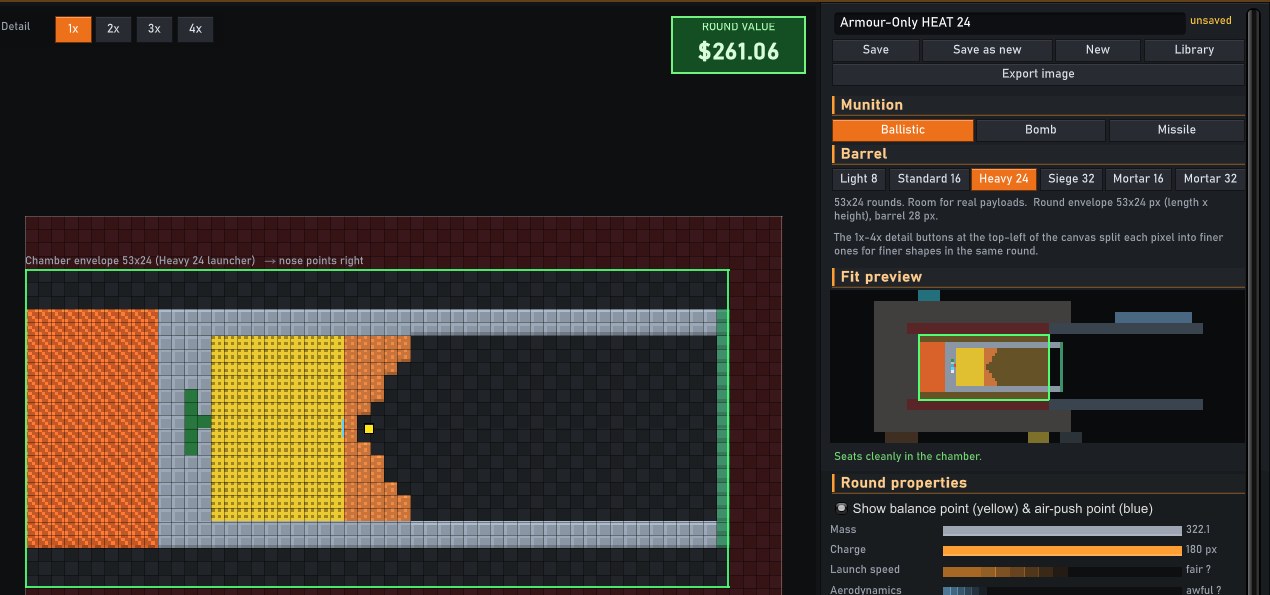 The Round Designer with Armour-Only HEAT 24 open and the Export image button under Save
Export image sits right under Save.
A camera that directs itself
Range › Clip › Camera
Clips used to record whatever the camera happened to be doing. Now the clip strip has a Camera row:
- View - what you're watching, as before.
- Auto - rides the round, then settles on the hit and pushes in while the dust flies. The Zoom slider sets how close: from the whole scene of the hit down to a close-up on the impact point.
- Keys - your own camera moves. Pause, frame the shot, press K (or + Key), add another later, and the clip glides between them. Right-click a key's diamond on the timeline to remove it.
- Track - Auto, but from the impact on it follows a target you pick.
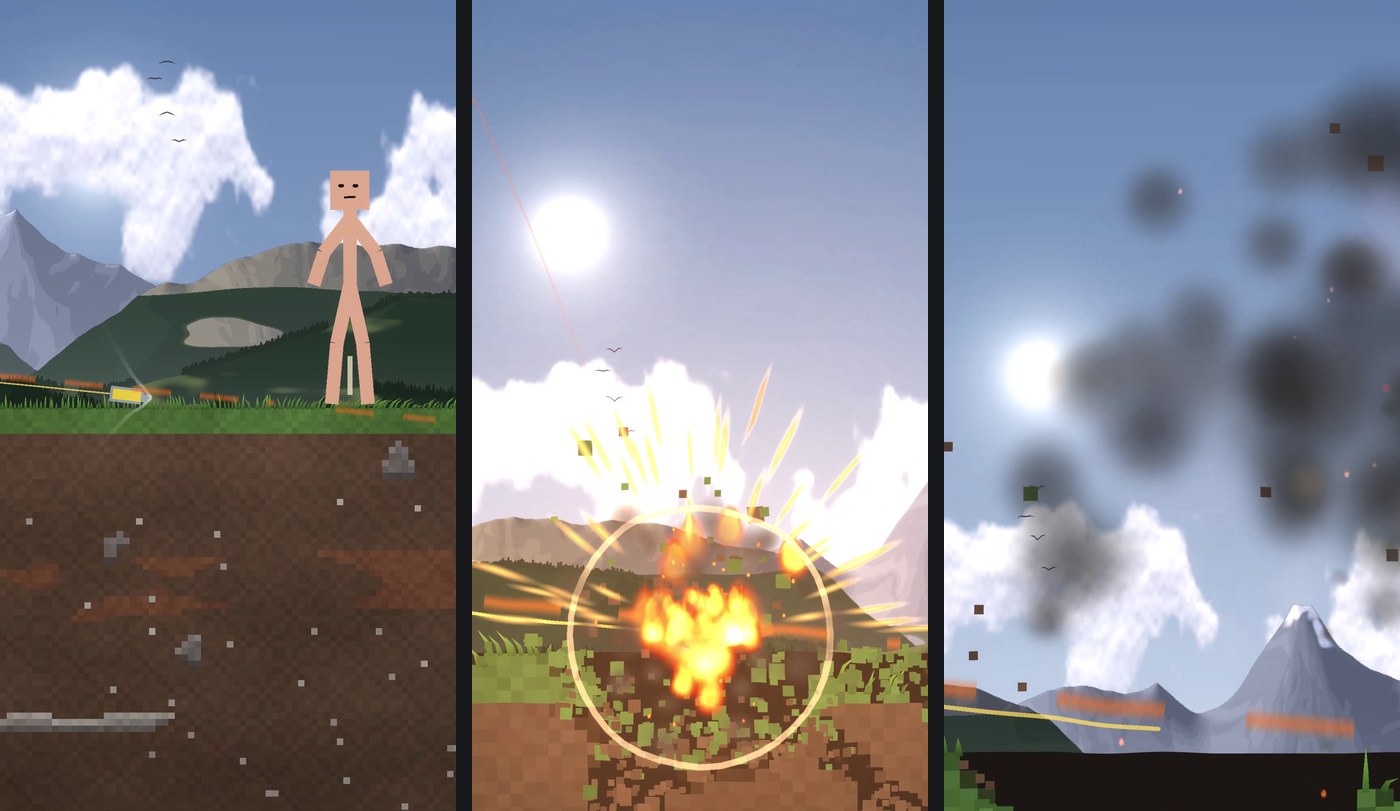 Three frames from an Auto clip at full zoom: the round flying in past a dummy, the blast filling the frame, the smoke drifting off
Auto at full zoom: in on the round, close on the blast, holding as the smoke clears.
With the strip open, pressing play previews exactly what the clip will record. The camera moves at the clip's own frame rate, so an export comes out the same however fast your PC renders it.
Track a target
Range › Clip › Camera › Track
Pick Track and click a dummy or a structure on the range. A bracket marks it, and the clip follows it from the moment of impact - a dummy thrown by the blast stays in frame while it flies and lands.
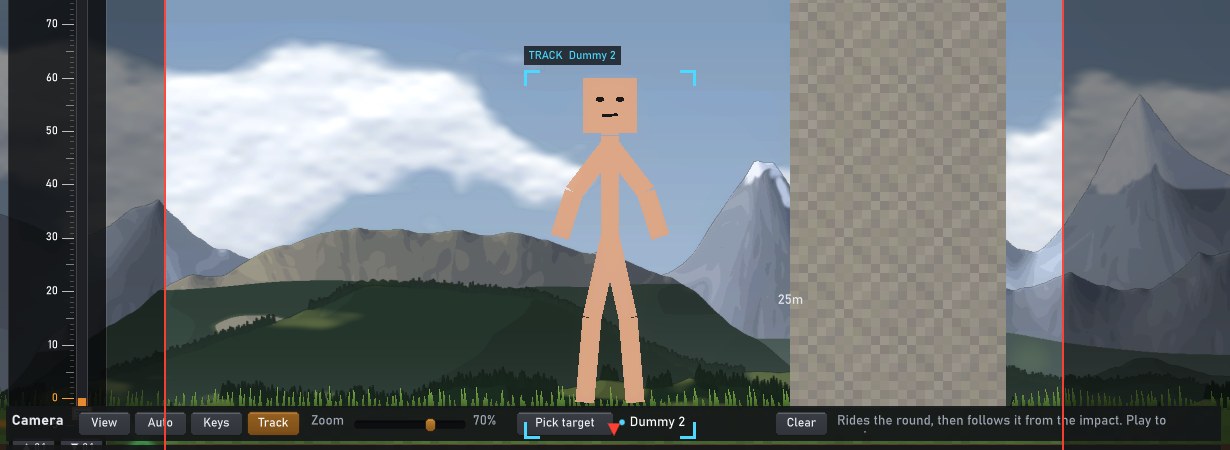 The range with a dummy bracketed in cyan and labelled TRACK Dummy 2, the Camera row below showing Track, the Zoom slider at 70% and Dummy 2 picked
Dummy 2 picked. Zoom sets how tight the camera stays on it.
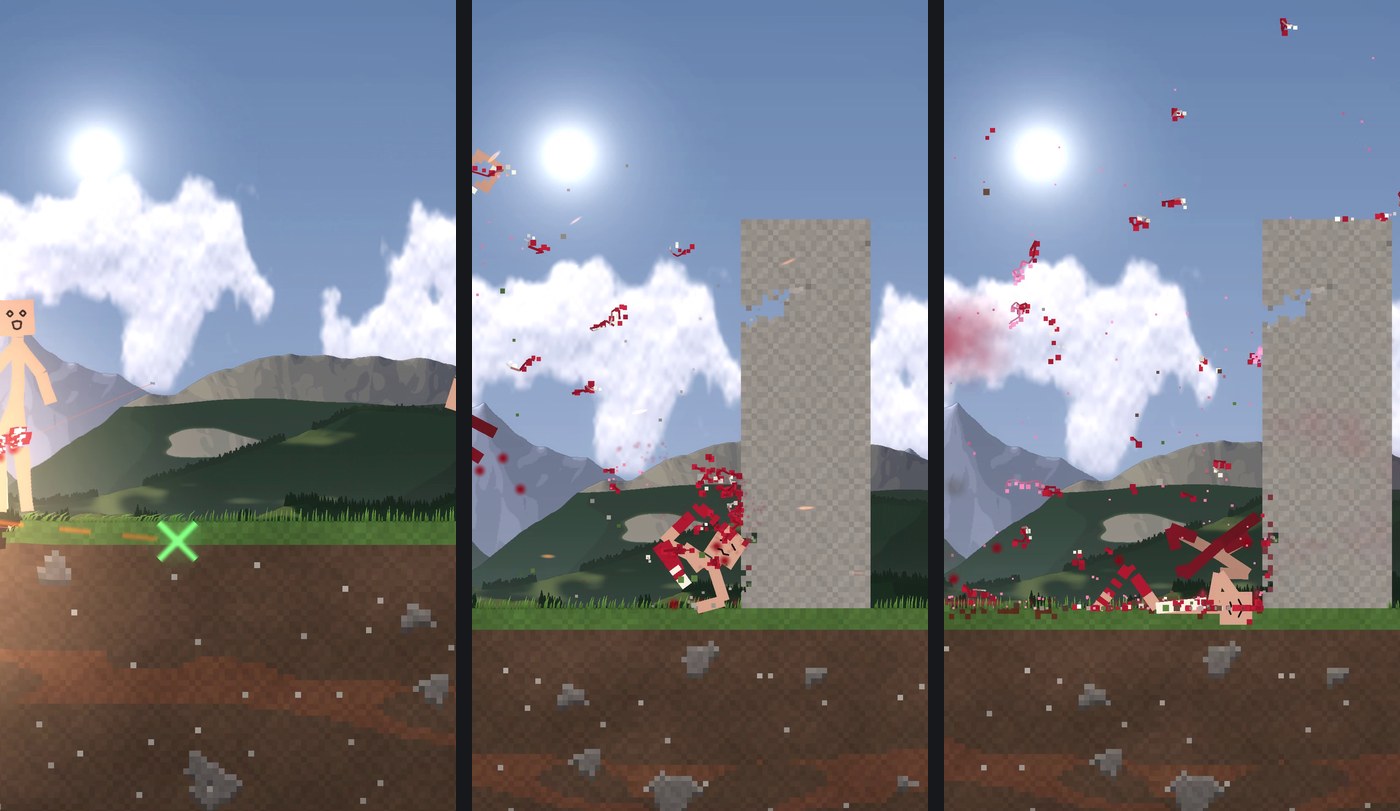 Three frames from a Track clip: the round passing the near dummy, the far dummy knocked into a concrete wall, then lying at its foot
The far dummy, followed all the way into the wall.
Clips with sound, slow-mo ramps, 60 fps and 4K
Range › Clip
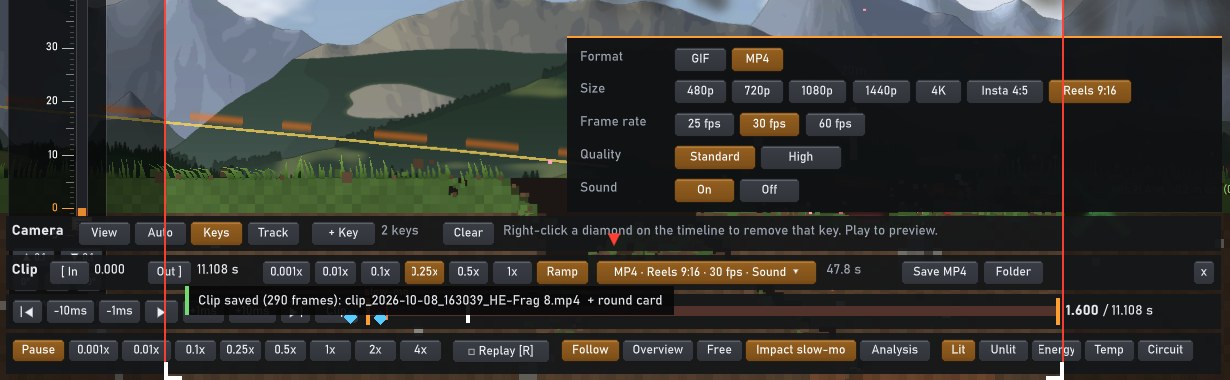 The clip strip with its options panel open: format, size, frame rate, quality and sound, with Ramp switched on
One button opens the options; Ramp sits next to the speeds.
- Sound. MP4 clips carry the shot's sound - the gun, the hits, the blast, burning and motors - timed to the frame, in stereo. Slow motion drops the pitch, like it does on the range.
- Ramp. The clip plays at your chosen speed in flight, eases down to about a twelfth of it into the hit, holds for about a second, then speeds back up. A slow-mo mark on the timeline shows where.
- 25, 30 or 60 fps, Standard or High quality, and sizes from 480p up to 1440p and 4K, plus Insta 4:5 and Reels 9:16.
- One scrubber. In clip mode the timeline becomes the record bar: the clip's span between the orange handles, filling in red as it saves.
Scrub anywhere, instantly
Range › replay timeline
Dragging the playhead back used to replay the whole shot from the start to get there - up to a few seconds of watching it race forward. Now the range keeps exact snapshots of the shot as it plays, and a seek starts from the nearest one.
| Jumping to a moment in a replay | Before | Now | |---|---|---| | Back or ahead, anywhere in the shot | 1.2-3.5 s | 0.1-0.15 s |
While you drag, the shot shows at that moment straight away, and the replay lands exactly where you let go.
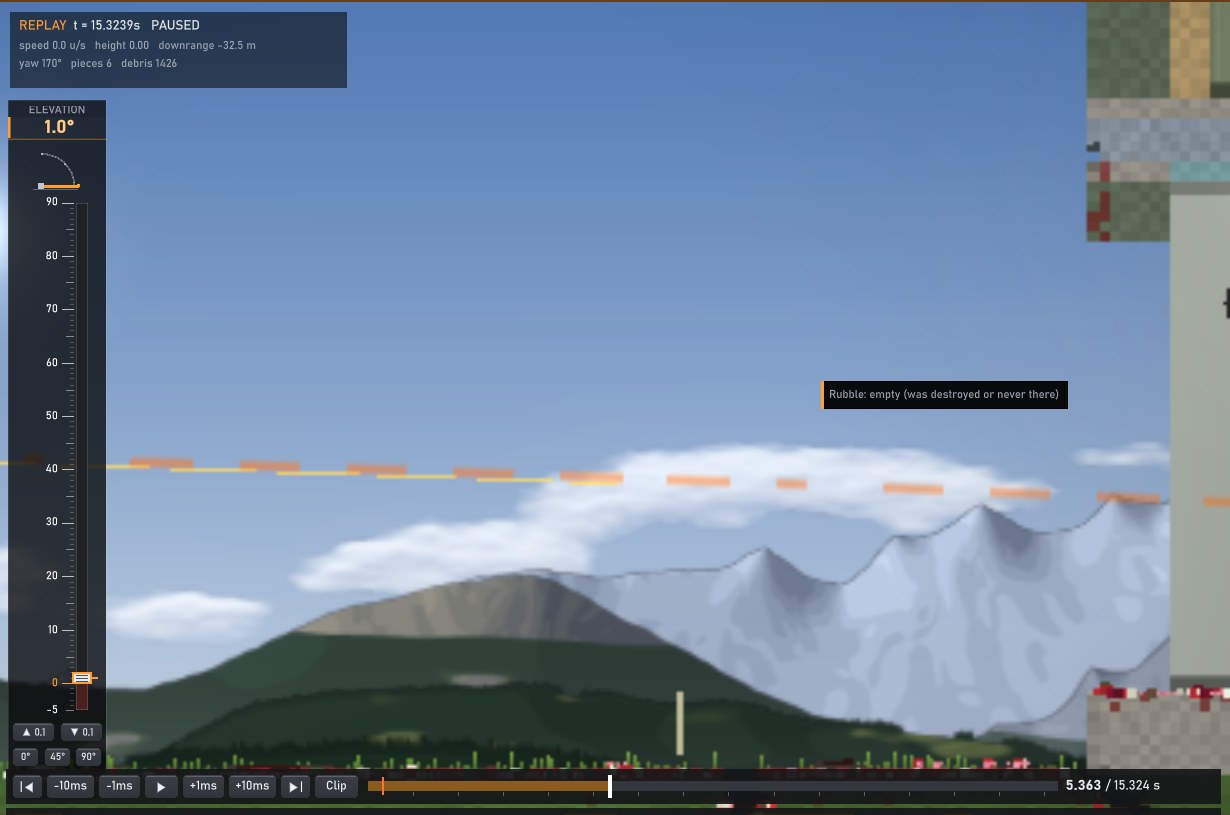 A replay paused mid-shot with the playhead dragged back along the timeline
Dragging back through a shot.
Fixed
- Replays play out exactly like the shot you watched. Smoke and dust were advanced by frame time during a live shot but on a fixed clock in replays, and they could change whether broken pieces flew off as chunks - so a replay could drift from what you saw. Now they run on the shot's own clock everywhere.
- Staff: Let go of Larry.
Mind the drop. See you on the range.